


Quick answer: A Chris Brown-style vocal is a bright, tight, dynamic R&B sound. In Logic Pro, use light tuning, a compressor that keeps the voice lively, a presence and air boost, a de-esser, and short rhythmic delays on sends. Build harmonies as stacked, panned layers. In GarageBand, use the same order with its built-in effects. All numbers are starting points.
Looking for another sound? See all our vocal sounds by artist and style in one place. Thir13een is not affiliated with any artist named.
The video below shows one mixing approach. The guide that follows explains the choices and how to rebuild them in Logic Pro and GarageBand. It describes a style, not a copy of any record. If you want singing technique rather than mixing, see How to Sing Like Chris Brown in 30 Days.
What defines a Chris Brown-style vocal sound
- Bright and clear. The voice has presence and a smooth top end that cuts through dance and R&B beats.
- Tight and rhythmic. Phrases land on the beat, so timing and delays matter.
- Dynamic. Soft runs and strong notes both need room. Over-compression hurts this style the most.
- Layered harmonies. Stacked backing vocals fill the space around the lead.
- Clean tuning. The melody is accurate but still has movement and ornament.
The chain in Logic Pro
| Order | Plug-in | Starting point | Why |
|---|---|---|---|
| 1 | Channel EQ | High-pass near 90 Hz. Cut 2 dB around 300 Hz if needed. | Clean base |
| 2 | Pitch Correction | Set key and scale. Use a medium response so runs keep their movement. | Accurate notes with ornament intact |
| 3 | Compressor | Ratio near 3:1, medium attack, medium-fast release, 3 to 5 dB of gain reduction. | Lively but controlled |
| 4 | Channel EQ (tone) | Presence of 2 to 3 dB near 3 to 5 kHz. Air shelf of 1 to 3 dB above 10 kHz. | Brightness and clarity |
| 5 | DeEsser 2 | Place it after the tone EQ, near 6 to 9 kHz. | Keeps the bright boost smooth |
Effects on sends
- ChromaVerb: a short plate with a decay near 1 second and a light pre-delay.
- Echo: a sixteenth-note or eighth-note delay at low feedback so the repeats add rhythm without crowding the lead.
Building stacked harmonies
- Record the lead and tune it lightly.
- Record a low harmony and a high harmony, each three times if you can.
- Pan the takes in pairs, left and right, and keep each layer below the lead in level.
- Cut more low end on harmonies than on the lead, up to about 200 Hz.
- Bus the harmonies together, compress them gently and give the bus its own reverb send.
- Edit word starts and ends so that consonants line up.
The same sound in GarageBand
- Tuning: use the track pitch correction at a medium amount with the key limit on. See Is There Auto-Tune in GarageBand?.
- EQ and compression: use the Channel EQ and Compressor with the presence and air moves above.
- Sibilance: if your version has no matching de-esser, keep the air shelf smaller.
- Harmonies: record each layer on its own track, pan them and lower their volume.
- Space: use short reverb and echo at low levels.
Problems that show up with this sound
- Harsh brightness. Presence and air stack up. Reduce one of them, then re-check the de-esser.
- Flat energy. The compressor works too hard. Lower the ratio or gain reduction so peaks keep their punch.
- Messy harmonies. Timing differences blur the stack. Edit word starts or re-record the weakest layer.
- Delay crowding fast phrases. Lower the feedback and filter the repeats.
Get the Chris Brown-style preset
Skip the building, or study a finished chain.
Logic Pro X: Dynamic R&B vocal preset for Logic Pro X (our Chris Brown-style preset) is $10 and uses only Logic's stock plug-ins. GarageBand: Dynamic R&B vocal preset for GarageBand (our Chris Brown-style preset) is $10.
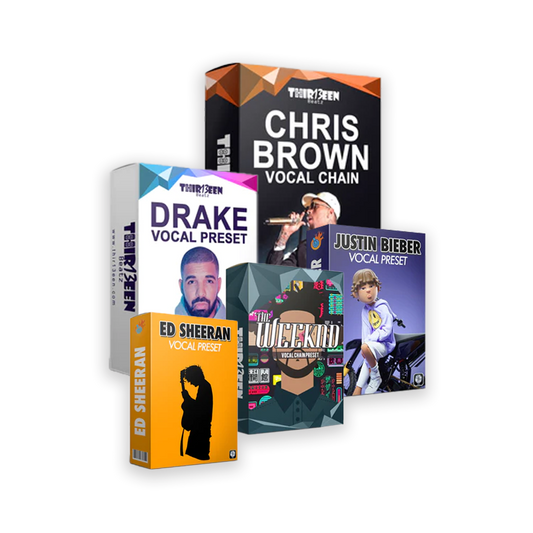
Not sure which style you want? Try our free Toronto Warmth preset for Logic Pro X first. Then compare the Logic Starter Pack ($19, three best sellers), the GarageBand Starter Pack ($19) and the Vocal Preset Mega Bundle ($49). You can also browse the Logic Pro vocal presets and GarageBand vocal presets collections.
We do not publish the exact values inside our paid presets. The starting points above are general mixing practice that you can use with or without them.
The Dynamic R&B preset is also in the Logic Pro Starter Pack. For the method behind any chain, read Logic Pro vocal chain, step by step.
Frequently asked questions
How do I mix vocals like Chris Brown in Logic Pro?
Use light tuning, a lively compressor, a presence and air boost, a de-esser after it, and short rhythmic delays. Build harmonies as stacked, panned layers.
What is the Dynamic R&B preset?
It is our Chris Brown-style vocal preset, sold for Logic Pro X and for GarageBand at $10 each.
Do I need Auto-Tune?
No. Logic's Pitch Correction is enough. See Auto-Tune in Logic Pro.
Can I do this in GarageBand?
Yes. Use the pitch slider, Compressor, Channel EQ and layered tracks. Some Logic tools have no direct match, so adjust by ear.
Why does my vocal sound thin or sharp?
Sharp usually means too much presence or air with weak de-essing. Thin usually means too much high-pass. Change one control at a time.
More artist-style vocal guides
- Drake-Style Vocals in Logic Pro and GarageBand
- The Weeknd-Style Vocals in Logic Pro and GarageBand
- Travis Scott-Style Vocals in Logic Pro and GarageBand
- Tory Lanez-Style Vocals in Logic Pro and GarageBand
- Post Malone-Style Vocals in Logic Pro and GarageBand
- Ed Sheeran-Style Vocals in Logic Pro and GarageBand
- Justin Bieber-Style Vocals in Logic Pro and GarageBand
- Migos-Style Vocals in Logic Pro and GarageBand
- Reggae Dancehall Vocals in Logic Pro and GarageBand
- Radio-Ready Pop Vocals in Logic Pro and GarageBand
Thir13een is not affiliated with, endorsed by or connected to Chris Brown. "Chris Brown-style" describes a sound we aim to approximate, nothing more.
Back to the full list: every artist-style vocal guide. Related: Record Vocals Like Chris Brown and You Too Can Sound Like Chris Brown.





2 comentários
I send my vocals here or mixing https://songmixmaster.com
hi