Quick answer: The best GarageBand tips are to learn five shortcuts (Space, R, C, Cmd+T, Cmd+J), use the Library and Smart Controls to shape sounds, add a fade-out from the Mix menu and keep your input level healthy. GarageBand loads Audio Units plug-ins, not VST, and it does not run on Chromebook. The sections below cover each of these with the exact steps.
This page is part of our complete GarageBand vocals guide, which walks through recording, the vocal chain, presets and mixing in one place.
GarageBand is Apple's free studio for Mac, iPhone and iPad. These tips apply to the Mac version unless we say otherwise.
What the headphone icon on a track means
The headphone icon on a track header is the Solo button. It mutes every other track so you can hear only the one you clicked. It is not an input monitoring switch. The crossed speaker next to it is Mute. If you cannot hear a track, check whether another track has Solo turned on.
Shortcuts worth learning first
| Key | Action |
|---|---|
| Space | Play and stop |
| R | Record |
| C | Turn the cycle (loop) on or off |
| K | Turn the metronome on or off |
| Return | Go to the start of the project |
| Cmd+T | Split a region at the playhead |
| Cmd+J | Join selected regions |
| Y | Show or hide the Library |
| B | Show or hide Smart Controls |
| E | Show or hide the editor |
| O | Show or hide the Loop Browser |
Shortcuts can change between versions. Open the Help menu in GarageBand to see the full list.
Add a fade-out
- Choose Mix > Create Volume Fade Out on Main Output.
- Drag the automation points on the main output track to change where the fade starts and ends.
- For a fade-in, press A to show automation on the track, add a point at the start at the lowest level, and a second point where you want full volume.
Use VST plug-ins?
GarageBand on Mac loads Audio Units (AU) only. If a plug-in comes in both VST and AU formats, install the AU one into Library/Audio/Plug-Ins/Components and restart GarageBand. On iPhone and iPad, only AUv3 apps work. We list free options in the best GarageBand plug-ins.
If you also want pitch correction, read Auto-Tune in GarageBand, which explains what GarageBand offers and what it lacks.
GarageBand on Chromebook and Windows
GarageBand does not run on Chromebook or Windows. Free alternatives include BandLab in the browser, Soundation in the browser and Waveform Free on Windows. We compare several in free beat makers and DAWs.
Fix common problems
- No sound: open GarageBand > Settings > Audio/MIDI and check the output device. Then check that no track has Solo on.
- The microphone does not record: open System Settings > Privacy & Security > Microphone and allow GarageBand.
- Delay when you record: lower the I/O buffer size in the Audio/MIDI settings, or use a USB audio interface with a driver for your Mac.
- Distorted recording: lower the input gain so your loudest peaks stay below the red zone.
- Cannot hear yourself while recording: turn on the monitoring option in the track's recording settings and use headphones to avoid feedback.
Make your vocals sound better
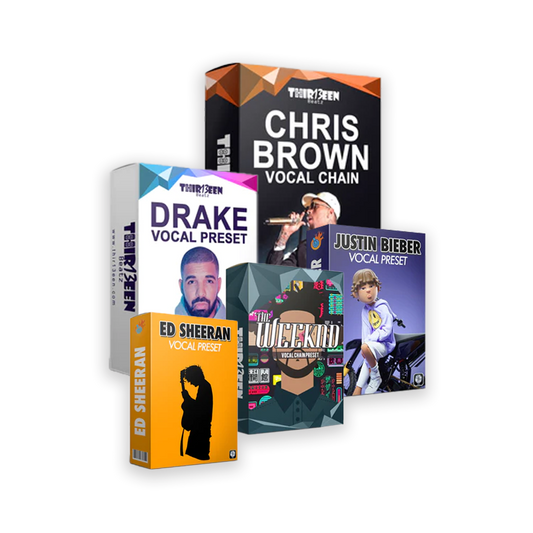
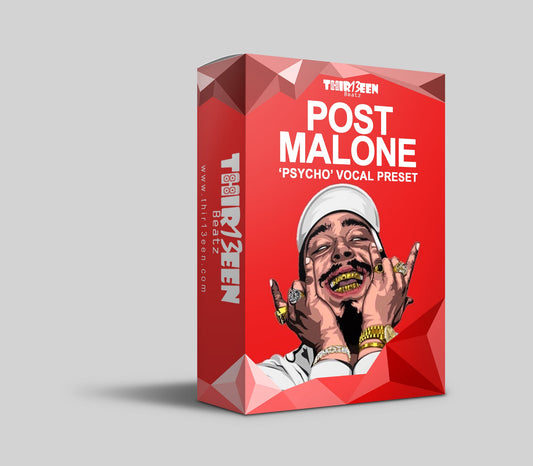
Vocals are where GarageBand projects improve fastest. Load a vocal patch, then adjust the settings. Our guide GarageBand vocal presets: how to install and use them shows how. For free options, see free vocal presets. You can also compare the best GarageBand vocal presets and use the vocal EQ cheat sheet for tone.
When you want a finished chain, start with the GarageBand Starter Pack ($19) or the Vocal Preset Mega Bundle for GarageBand ($49). Browse the GarageBand vocal presets collection.
Frequently asked questions
Is GarageBand really free?
Yes. It comes free with Mac, iPhone and iPad.
What does the headphone icon mean in GarageBand?
It is the Solo button. It plays only that track and mutes the others.
Can I use VST plug-ins in GarageBand?
No. GarageBand uses Audio Units on Mac and AUv3 on iOS.
How do I fade out a song in GarageBand?
Choose Mix > Create Volume Fade Out on Main Output, then adjust the automation points.
Is there a GarageBand for Windows or Chromebook?
No. Try BandLab, Soundation or Waveform Free instead.
Back to the full guide: GarageBand vocals, from recording to mixing. Related: Free House Bass Plugins for GarageBand on Mac and How to Mix Vocals in GarageBand.