By Thir13een Team | Last updated: October 25, 2026
Quick answer: A radio-ready vocal is clean, even and present. In Logic Pro, use a high-pass, two light stages of compression (an opto-style one then a fast one, 2 to 3 dB each), de-essing, a tone EQ for presence and air, and short reverb and delay on sends. Group the vocal layers on a bus and check the mix against a commercial reference at the same volume. Treat all numbers as starting points.
This guide covers the standard chain used on modern pop, hip-hop and R&B vocals, using stock plug-ins. It also explains where our Waves-based Billboard preset fits. It describes a general approach, not a single record.
What "radio-ready" means for a vocal
- Consistent level. Every word is clear, even at low volume.
- Clean low end. No rumble or mud under the voice.
- Controlled highs. Bright but not piercing.
- Depth without wash. Reverb and delay add space but do not blur the words.
- Sits with the track. The vocal is the loudest element, balanced against the beat.
The chain in Logic Pro
| Order | Plug-in | Starting point |
|---|---|---|
| 1 | Channel EQ | High-pass at 80 to 100 Hz. Cut 2 to 3 dB near 250 to 400 Hz if boxy. |
| 2 | Compressor (Opto) | 3:1, slow attack, medium release, 2 to 3 dB of gain reduction. |
| 3 | Compressor (Studio FET) | 4:1, faster attack and release, 2 to 3 dB of gain reduction on peaks. |
| 4 | DeEsser 2 | 6 to 8 kHz. Use as much as needed and no more. |
| 5 | Channel EQ (tone) | 1 to 2 dB near 3 kHz and a high shelf of 1 to 2 dB above 10 kHz. |
Using two compressors that each work lightly sounds more natural than one that does all the work. Logic's Compressor has Opto and Studio FET circuit types, so you can build this chain with one plug-in loaded twice.
Effects on sends
- Plate reverb: ChromaVerb, 1 to 1.5 seconds, pre-delay near 25 ms.
- Delay: a quarter-note or eighth-note echo, low feedback, filtered.
Reference against a real record
- Pick a commercial song in your genre and drag it into your project on its own track.
- Match its loudness to your mix by ear, using the track volume.
- Switch between the two while looking at the vocal's level, brightness and space.
- Make small changes to your EQ and compression and compare again.
Do this at the same loudness. A louder version always sounds better, which hides real differences.
Balance and loudness
- Set the vocal level first, then bring the beat up around it.
- Leave 3 to 6 dB of headroom on the master if a mastering engineer will finish the song.
- Streaming services adjust loudness, so heavy limiting adds little. Spotify, for example, normalizes to about -14 LUFS by default.
The same sound in GarageBand
- Use one Compressor with a medium ratio, then a second light compressor if the session has the slots.
- Use Channel EQ for the high-pass, mud cut and tone.
- Use the Reverb and Echo controls on the track.
- Use a vocal patch from the Library as a base.
Common problems
- Harsh highs: reduce the 3 kHz boost, or de-ess earlier in the chain.
- Dull vocal: check the compressor is not squashing the transients, and add a gentle shelf.
- Vocal sounds small: add a double and a short slapback, rather than more reverb.
- Vocal jumps in loud passages: automate the fader or add a final limiter with 1 to 2 dB of gain reduction.
The Waves-based Billboard preset
Our Vocal Billboard 100 preset for Logic Pro X ($10) uses select Waves plug-ins such as the CLA-2A compressor and Renaissance EQ, so you need those plug-ins installed. If you do not own Waves, build the stock chain above, or start with one of our presets that use only Logic's plug-ins.
Skip the building, or study a finished chain.
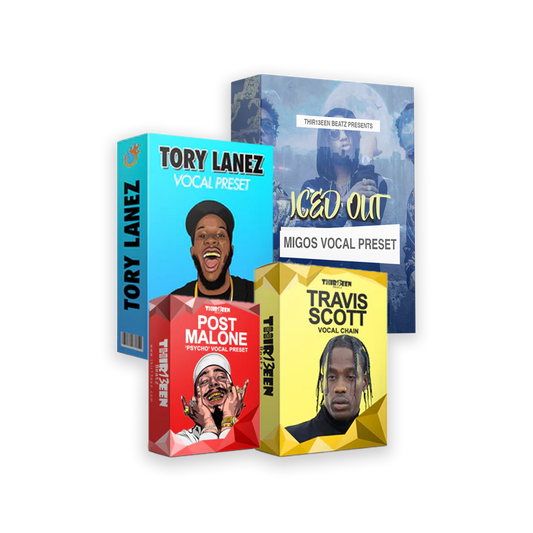
Want a finished chain instead of building one? Start with the free Toronto Warmth vocal preset for Logic Pro X. Then compare the Logic Pro Starter Pack ($19, three best sellers), the GarageBand Starter Pack ($19) and the Vocal Preset Mega Bundle for Logic Pro X ($49). You can also browse the Logic Pro vocal presets and GarageBand vocal presets collections.
We do not publish the exact values inside our paid presets. The starting points above are general mixing practice. For a full walk-through, read Logic Pro vocal chain, step by step and the vocal EQ cheat sheet.
Frequently asked questions
How do I make my vocals sound radio-ready?
Clean the low end, compress lightly in two stages, de-ess, add presence and air, and compare to a commercial reference at equal loudness.
Do I need Waves plug-ins?
No. Logic Pro's stock plug-ins can build a full chain. Only the Billboard preset requires Waves.
How much compression is too much?
If the vocal sounds flat or you hear pumping, back off. Two to three dB per stage is a safe start.
What loudness should I aim for?
Streaming platforms normalize loudness, so focus on a balanced mix with headroom instead of maximum loudness.
Does this work in GarageBand?
Yes, with fewer plug-ins. Use the compressor, EQ and effects in the same order.
More artist-style vocal guides
- Drake-Style Vocals in Logic Pro and GarageBand
- The Weeknd-Style Vocals in Logic Pro and GarageBand
- Travis Scott-Style Vocals in Logic Pro and GarageBand
- Tory Lanez-Style Vocals in Logic Pro and GarageBand
- Post Malone-Style Vocals in Logic Pro and GarageBand
- Chris Brown-Style Vocals in Logic Pro and GarageBand
- Ed Sheeran-Style Vocals in Logic Pro and GarageBand
- Justin Bieber-Style Vocals in Logic Pro and GarageBand
- Migos-Style Vocals in Logic Pro and GarageBand
- Reggae Dancehall Vocals in Logic Pro and GarageBand